BOM workflow

Fiber optic power meter kit lines stay separate until the scope matches

This page is a traceable way to compare a fiber optic power meter kit. It is a procurement worksheet, not an environmental program. Each accessory, certificate, and freight line keeps its own row so a body price cannot hide a missing source.

  1. Freeze the meter row
  2. Add companion rows
  3. Mark deviations
  4. Compare totals
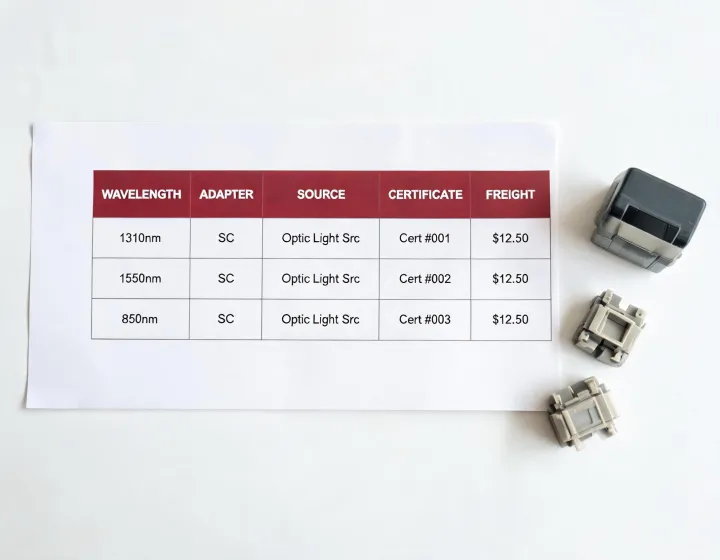
Spreadsheet of meter kit lines beside adapters and a light source

Rows the kit comparison has to keep

Meter identity

Manufacturer, model, detector type if stated, calibrated wavelengths, and power range in dBm. Measurement accuracy must cite the wavelength and temperature on the datasheet, such as a requested check at 1310 nm and 23 °C. Do not paste a ±0.2 dB figure from a different model into this row.

Source and visible pen

If the kit includes a light source, give its wavelengths and connector. A 650 nm visual fault locator is a different row. It does not fill the dBm column. Leaving the source blank is allowed when the buyer already owns a source. The blank must be explicit.

Adapters and cords

List FC, SC, ST, LC, 2.5 mm, and 1.25 mm pieces with quantities. A universal interface on the meter body is not the same as a pouch of adapters. Patch-cord length and fiber mode belong here when the reference method needs a cord of a stated length.

Certificate, freight, exclusions

Calibration traceability, the date basis, Incoterm, currency, and whether the budget is per unit or whole order. Software, spare batteries, and duties are exclusions until a factory prices them. There is no upload control. The buyer pastes the row text into the form.

Selection table before an alternate is accepted

Open choiceKeep the named kit whenAllow an alternate whenStill verify
Wavelength setThe procedure names exact nanometresThe alternate sheet lists those same points as calibratedSelectable is not calibrated
Power windowThe port can exceed a standard detectorThe alternate states the upper dBm limit+10 dBm versus +26 dBm
ConditionThe procedure wants unused adaptersRefurbished condition and remaining months are writtenCertificate serial link
CompanionLoss tests need a matched sourceThe buyer source is already acceptedSource wavelength and connector

Single-mode kit versus multimode kit

A single-mode kit argument is the 1310 nm and 1550 nm pair, sometimes 1490 nm or 1625 nm, for a plant the designer ties to a single-mode fibre recommendation. The ITU-T recommendations catalog accessed 2026-10-27 supplies question context only. A multimode kit argument is the 850 nm and 1300 nm pair for shorter hall links. Putting both in one case is a third commercial choice. It is valid only when both calibrations are on the meter row. Dispersion and return loss still do not move onto this BOM.

New kit versus refurbished kit

New kits may include unused adapters and a certificate dated at dispatch. Refurbished kits may match a legacy connector set if the seller states remaining calibration months and which adapters are missing. LinkScope Sourcing 04 does not call either option authorized. OEM-coded packaging versus an unmarked compatible pair is the same kind of split: keep the named maker when the procedure audits that name, and allow a compatible pair only after wavelengths, range, and connectors are on the alternate datasheet.

Repeatable check the buyer can run after delivery

The buyer, not this desk, can repeat a basic intake. Confirm the model string against the datasheet revision. Set the meter to a calibrated wavelength that the source also emits. Follow the source warm-up the source sheet prints, often questioned as a number of minutes rather than assumed. Record a one-cord or two-cord reference exactly as the buyer procedure states. Read dBm, then note adapter changes as separate readings. That sequence checks identity and setup. It does not certify insertion loss for a live span, and it does not replace an accredited calibration.

Limits of the worksheet

The workflow does not calculate optical budget. It does not prove receiver sensitivity or transmit power of a transceiver. It does not assign a data rate. A photo of a kit is not a serial-linked certificate. High-power ports can saturate a standard detector, so an unstated upper range is a block, not a minor note.

Questions that keep the BOM comparable

Which specification choices are still open?

Wavelength list, upper dBm limit, adapter count, source inclusion, and certificate interval. Mark each as mandatory, preferred, or unknown. Unknown rows stay open. They are not filled with a family default.

What should be verified before an alternate is accepted?

Exact manufacturer and model, calibrated points, connector list, and the certificate rule. A shared case photo is not verification. Host compatibility with an existing OTDR, if the search mixed those tools, needs the trace unit datasheet as well.

How are currency and budget recorded?

One currency per comparison, with a per-unit or whole-order basis. An optional ceiling is the buyer context. Factories still quote their own prices. The ceiling is not published here as a market rate.

What does the desk refuse to collapse?

Body, source, adapters, certificate, and freight remain separate until the buyer asks for one landed total and every factory has priced the same Incoterm. Collapsing early is how a kit-for-sale headline hides scope.
Submit the kit rows for factory quotes

Paste the meter row and the companion rows into the requirements box. Quantity and destination are mandatory for a comparable answer. LinkScope Sourcing 04 will not add lines you left blank.

The worksheet ends at quote coordination. Acceptance, reference cords, and on-site loss limits stay with the buyer procedure.